Secret Commands
Read secrets from the CLI.
get
Fetch a secret value and print it to stdout.
# Read a single-value secret
sikkerkey get sk_a1b2c3d4e5

# Read a specific field from a structured secret
sikkerkey get sk_db_prod password

# Read the full JSON for a structured secret
sikkerkey get sk_db_prod
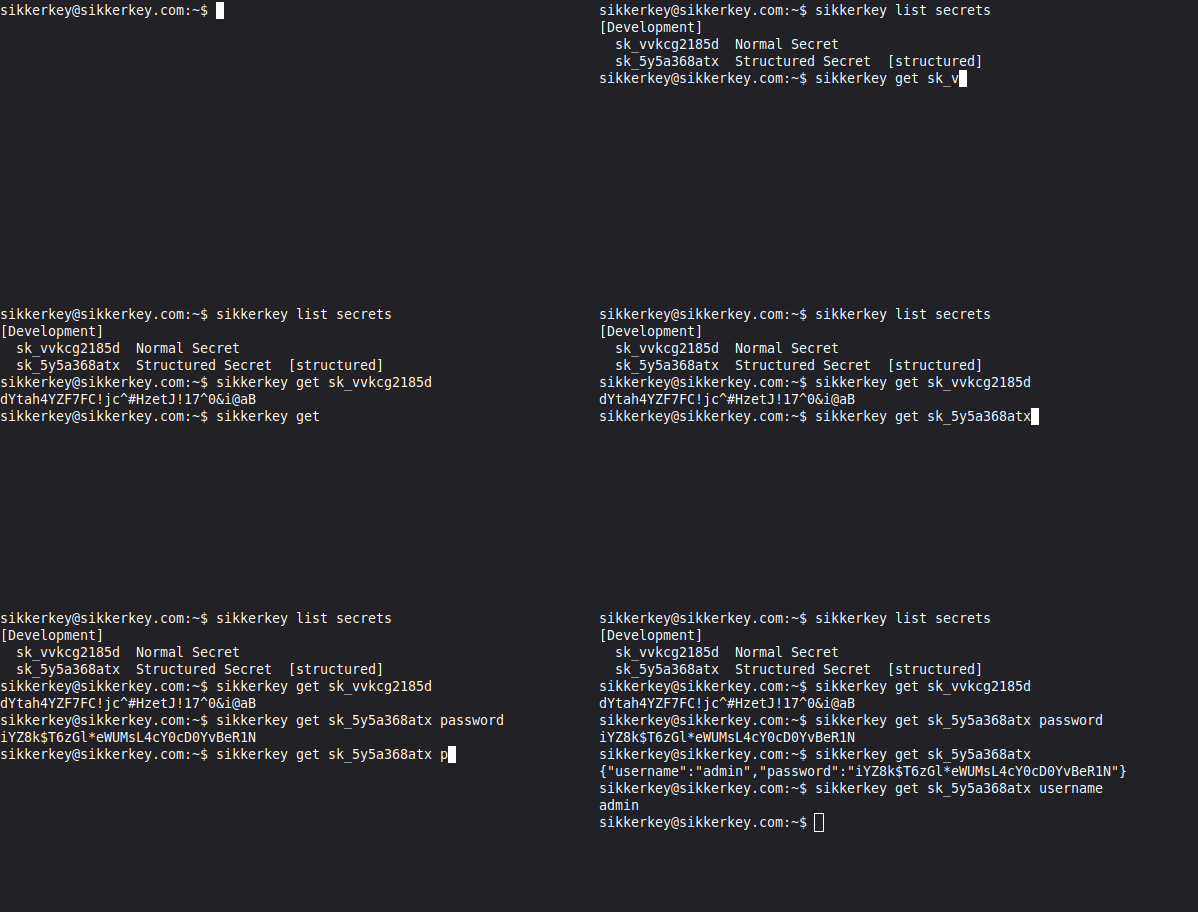
The secret is fetched by ID; SikkerKey checks access on every request. Exit code 0 on success, 1 on error.
JSON Output
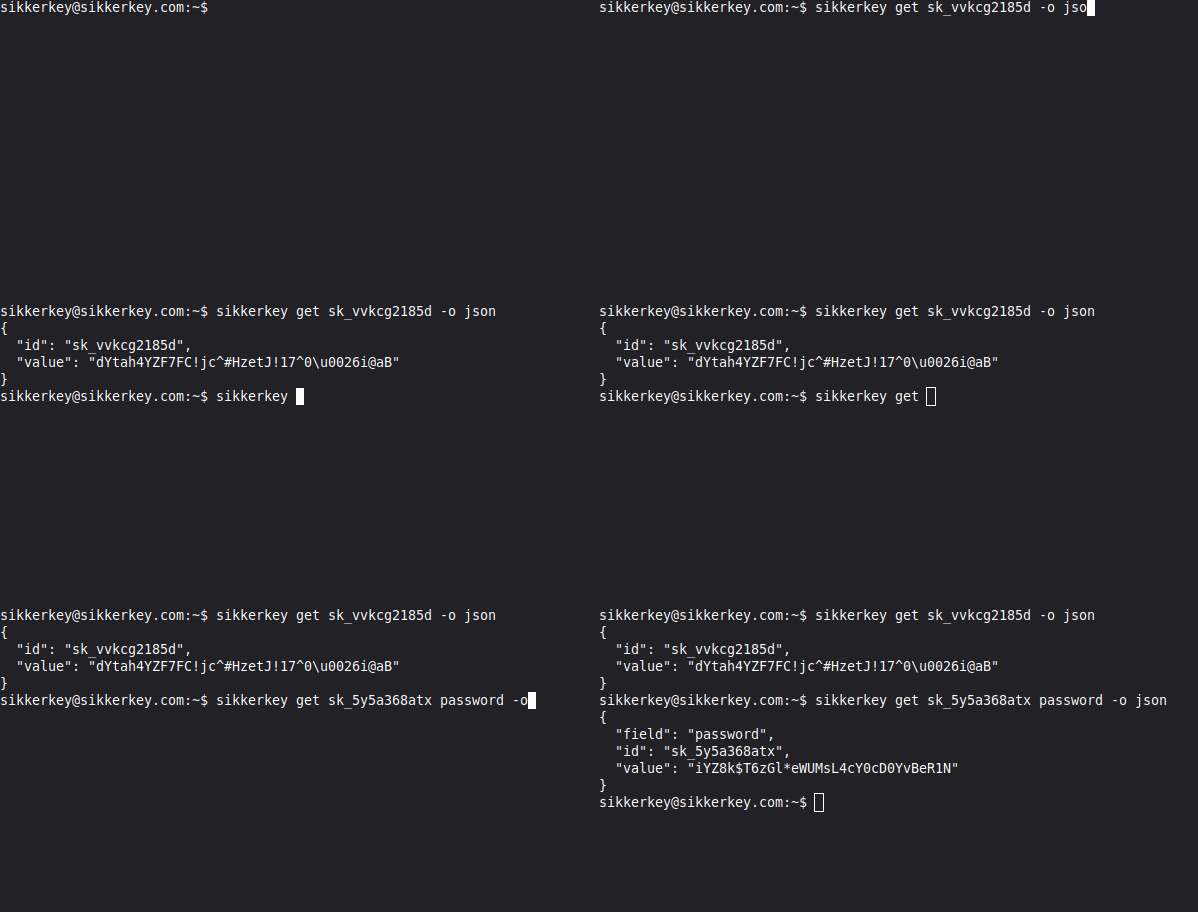
Use -o json for machine-parseable output:
# Simple secret
sikkerkey get sk_a1b2c3d4e5 -o json
{
  "id": "sk_a1b2c3d4e5",
  "value": "my-secret-value"
}
# Structured secret -- includes parsed fields
sikkerkey get sk_db_prod -o json
{
  "id": "sk_db_prod",
  "value": "{\"host\":\"db.example.com\",\"password\":\"hunter2\"}",
  "fields": {
    "host": "db.example.com",
    "password": "hunter2"
  }
}
# Single field
sikkerkey get sk_db_prod password -o json
{
  "id": "sk_db_prod",
  "field": "password",
  "value": "hunter2"
}
Flags
| Flag | Description |
|---|---|
-o, --output <format> | plain (default) or json |
Shell Usage
Capture a secret into an environment variable or shell-substitute it directly:
# Into an env var
export DB_PASSWORD=$(sikkerkey get sk_db_prod password)

# One-shot invocation
psql -h db.example.com -U app -d mydb \
  -c "SELECT count(*) FROM users" \
  -W "$(sikkerkey get sk_db_prod password)"

# Consume JSON output in a script
sikkerkey get sk_db_prod -o json | jq -r '.fields.password'
Errors print to stderr. In scripts, redirect with 2>/dev/null if you only want the value or non-zero exit.
Environment Variables
| Variable | Description |
|---|---|
SIKKERKEY_VAULT | Vault ID or alias. Overrides the currently-connected vault for this invocation. Useful for CI systems that bootstrap multiple vaults on one runner. |
Notes
- Machines are consumers, not managers. Secret creation, updates, rotation, and deletion are done through the dashboard.
- The CLI is read-only by design. This ensures machines cannot modify the secrets they consume.